
Whether you’re a parent wondering how to clean a sticky remote control after your children spilt juice on it, a diligent cleaner who wants to learn how to disinfect a TV screen, or simply someone searching for the ultimate guide to TV cleaning: we‘ve got you covered.
This easy-to-follow guide covers everything from how to clean a flat-screen TV to how to clean remote control buttons and more.
Key steps
- Clean your TV once a week.
- Turn off your TV
- Don’t spray cleaning solution onto the surface. Instead, spray it onto a microfiber cloth and wipe the TV or remote.
- Use antibacterial cleaning products and rubbing alcohol to disinfect and kill germs while cleaning your TV.
- Use a soft brush or cotton bud to clean small grooves, especially between buttons.
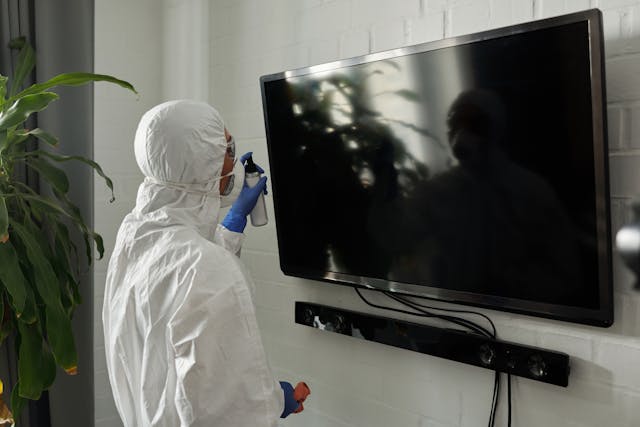
How to clean and disinfect a TV screen
- Now you know the dos and don’ts, here is our step-by-step guide for achieving a perfect clean TV screen.
- Although modern flat screens require more careful cleaning (due to the LCD screen), you don’t necessarily have to use a specialist cleaner. Most electronic screens can be cleaned safely with the simple everyday supplies listed above.
- Using your dry, clean, lint-free cloth, wipe the screen gently.
- This will pick up any grease or dirt that is caught on the surface.
For stubborn marks, dilute a small amount of all-purpose cleaner with water.
Apply the liquid to a clean microfiber cloth.
Squeeze the cloth to ensure all excess liquid is removed
You don’t want to saturate your screen!) Wipe across the surface of your TV screen. Don’t forget to never apply the liquid directly onto the screen.
Using a soft brush, remove the dust and dirt from hard to reach areas such as the air vents.
Dust caught inside these can cause your TV to overheat.
How to clean and disinfect a TV screen
Now you know the dos and don’ts, here is our step-by-step guide for achieving a perfect clean TV screen.
Although modern flat screens require more careful cleaning (due to the LCD screen), you don’t necessarily have to use a specialist cleaner. Most electronic screens can be cleaned safely with the simple everyday supplies listed above.
Using your dry, clean, lint-free cloth, wipe the screen gently.
This will pick up any grease or dirt that is caught on the surface.
For stubborn marks, dilute a small amount of all-purpose cleaner with water.
Apply the liquid to a clean microfiber cloth.
Squeeze the cloth to ensure all excess liquid is removed
You don’t want to saturate your screen!) Wipe across the surface of your TV screen. Don’t forget to never apply the liquid directly onto the screen.
Using a soft brush, remove the dust and dirt from hard to reach areas such as the air vents Dust caught inside these can cause your TV to overheat.
We don’t tend to touch our TV screens or units as much as other items, like the remote, which means there isn’t always as strong a need for disinfection. One of the easiest ways to learn how to disinfect a TV screen is to simply use an all-purpose cleaner with antibacterial properties.